We’re excited to launch our latest product to simplify your business processes. Know More →
GST RPACPC GST SuitePublic GST, e-Invoice & e-Way Bill

Cancel an Existing E-Invoice Using Its Invoice Reference Number.

Integrate e-invoice cancellation into your business applications using the RPACPC Cancel IRN API. Submit the Invoice Reference Number (IRN), cancellation reason code, and cancellation remarks to receive a structured response containing the IRN and cancellation date.

Sample verification Dummy data
1 You send
Checking
2 You get back
✓
ACTIVEValid & registered
482 ms
IRNSAMPLE_IRN
Cancellation Date2025-04-16 20:00:00
API overview

Simplify Cancel IRN API.

The Cancel IRN API enables applications to submit a cancellation request for an existing e-invoice using its IRN and the required cancellation details.

The request includes the invoice reference number, a cancellation reason code, and remarks. In the supplied successful response, the API returns the IRN and CancelDate, along with the overall response status and request-tracking information.

The API can be integrated into invoice-management systems, ERP platforms, accounting applications, and automated business workflows that support e-invoice cancellation.

Key information available

Access essential Cancel IRN API details.

The API response may include the following information, depending on the response received:

01
Invoice Reference

Identifies the e-invoice submitted for cancellation.

Irn
02
Cancellation Details

Provides the cancellation reason code and remarks supplied in the request.

CnlRsn
CnlRem
03
Cancellation Response

Returns the IRN and cancellation date when available in the API response.

Irn
CancelDate
04
Response Status

Indicates the API outcome and provides response information.

status
status_code
message
error
05
Request Traceability

Provides identifiers and timestamps for tracking the API transaction.

request_id
sequence_id
request_time
response_time
How it works

Simple API-based verification process.

Step 01

Identify the Invoice

Obtain the IRN associated with the e-invoice that needs to be cancelled.

Step 02

Prepare Cancellation Request

Provide the IRN, cancellation reason code (CnlRsn), and cancellation remarks (CnlRem).

Step 03

Configure API Headers

Include the required token, secretKey, gstin, and sandbox headers.

Step 04

Submit Cancellation Request

Send a POST request to the Cancel IRN API endpoint.

Step 05

Process API Response

Check the response status and retrieve the IRN and cancellation date when available.

Step 06

Update Invoice Records

Update internal invoice records according to the cancellation result and business workflow.

API Request

Step 1 Submit Cancel IRN API details.

Request parameters
Parameter Type Description
Irn String Invoice Reference Number associated with the cancellation request.
CnlRsn String Cancellation reason code.
CnlRem String Cancellation remarks supplied with the request.
The required-field designations above reflect the fields in your supplied request. Confirm any additional validation rules and accepted values against the API specification.
Sample request REQUEST
{
  "Irn": "<IRN>",
  "CnlRsn": "1",
  "CnlRem": "<CANCELLATION_REMARKS>"
}
API response

Step 2Receive structured Cancel IRN API information.

Key response fields
Parameter Type Description
status String API response status.
status_code String Status code returned by the API.
message String Response message.
billable String Billing indicator returned by the API.
error Object/Null Error information, or null in the successful response.
data.Irn String IRN associated with the cancellation response.
data.CancelDate String Cancellation date and time returned by the API.
request_id String Request identifier.
sequence_id String Sequence identifier.
request_time String Request timestamp.
response_time String Response timestamp.
200 · Sample responseRESPONSE
{
  "status": "SUCCESS",
  "status_code": "200",
  "message": "Data fetch successfully",
  "billable": "Y",
  "error": null,
  "data": {
    "Irn": "",
    "CancelDate": "2025-04-16 20:00:00"
  },
  "request_id": "",
  "sequence_id": "",
  "request_time": "2025-04-16T20:00:23.294Z",
  "response_time": "2025-04-16T20:00:23.499Z"
}

The sample demonstrates the successful response structure supplied for this API. Applications should also handle unsuccessful responses and validation errors according to the full API specification.

Use cases

Cancel IRN API across business workflows.

Invoice Management

Integrate cancellation requests into invoice-management systems that track e-invoice records and their processing history.

ERP and Accounting Integration

Connect e-invoice cancellation workflows with ERP and accounting applications.

Automated Business Workflows

Submit cancellation requests from supported business processes without requiring users to manually construct each API request.

Invoice Record Updates

Use the returned IRN and cancellation date to associate the API response with the relevant internal invoice record.

Cancellation Audit Trails

Retain request identifiers and cancellation response details for internal tracking and reconciliation.

FAQ

Frequently asked questions

Common questions about the Cancel IRN API — what it returns, how fast it is, and how to integrate.

Still have a question? Talk to an expert
What does the Cancel IRN API do?
It accepts an IRN, cancellation reason code, and cancellation remarks, then returns the cancellation response.
Which fields are required in the request?
The supplied request includes Irn, CnlRsn, and CnlRem. Confirm the complete validation requirements in the API documentation.
What does the API return after a successful cancellation request?
The supplied successful response includes the IRN and CancelDate, together with response status and request-tracking information.
What does CnlRsn mean?
CnlRsn is the cancellation reason code. The supplied request uses "1"; confirm the meaning and supported values before implementation.
What is CnlRem?
CnlRem contains the cancellation remarks supplied with the request.
Does the API return the cancellation date?
Yes. The supplied successful response contains CancelDate.
Is authentication required?
The supplied request includes token, secretKey, gstin, and sandbox headers. Follow the current RPACPC integration instructions for the required header format and authentication process.
Blog

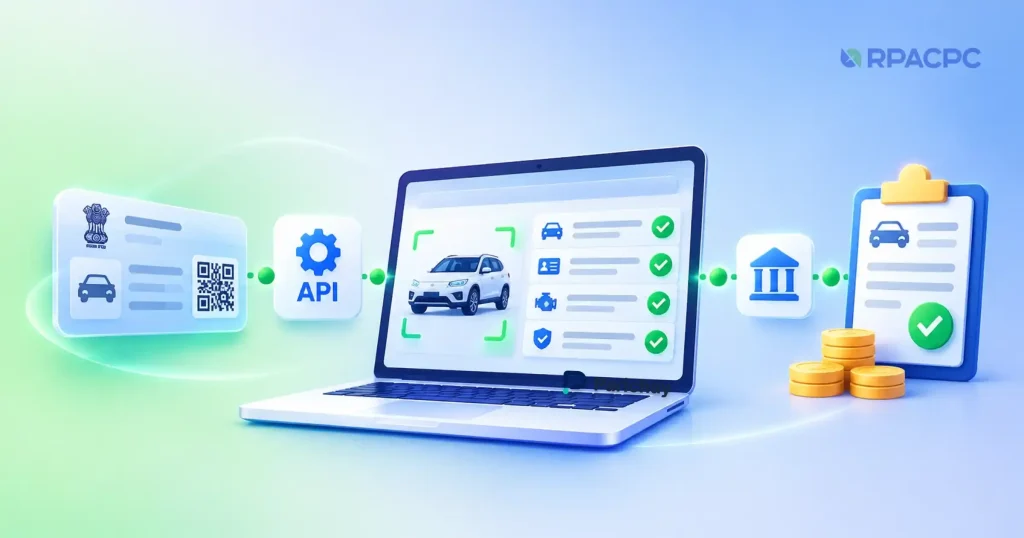
Vehicle Verification API for Loan Processing: How Can Lenders Verify Vehicle Details Accurately?

Learn how a Vehicle Verification API for Loan Processing helps lenders verify vehicle details, reduce risks, and speed up loan approvals.

Read More
Vehicle Verification API for Loan Processing: How Can Lenders Verify Vehicle Details Accurately?

India's verification infrastructure is already here.

Empower your applications with India's Enterprise Verification Intelligence Platform for faster, more reliable verification.