We’re excited to launch our latest product to simplify your business processes. Know More →
KYC RPACPC KYC SuiteIdentity Verification Suite
Verify Aadhaar details through a DigiLocker-based authentication flow.
Enable users to complete the DigiLocker verification journey through a redirect-based workflow. Generate a verification URL, allow the user to complete the required authentication, and retrieve the verification result through RPACPC.
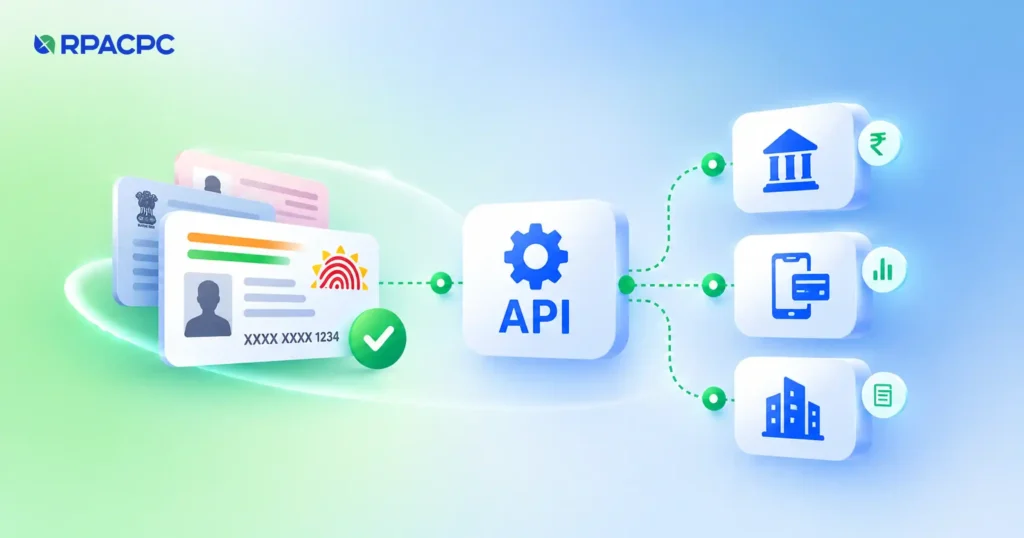
The Aadhaar Verification via DigiLocker API enables businesses to initiate a DigiLocker verification journey and retrieve the resulting identity and Aadhaar document information through a two-step API process.
The first API call generates a redirect URL and a verification_id. The user completes the verification journey through the redirect URL. The second API call uses the verification_id to fetch the verification result.
The response can include verification status, user details, masked Aadhaar information, address information, and Aadhaar document details.
The response also contains technical fields such as verification_id, reference_key, and transaction identifiers. Handle these fields according to their intended use and protect them from unnecessary exposure.
How it works
Simple two-step verification process.
Step 01
Generate the Redirect URL
Send a request with the action redirectUrl. RPACPC returns a redirect URL and a verification_id.
Step 02
Complete DigiLocker Verification
Redirect the user to the returned URL so they can complete the verification journey.
Step 03
Fetch the Verification Result
After the user completes the journey, submit the verification_id with the action verification.
Step 04
Process the Response
Use the returned verification status and available identity/document fields in your application workflow.
API request
Step 1
Generate redirect URL.
Request parameters
Parameter
Type
Description
request_id
String
Unique identifier for the API request
action
String
Use redirectUrl to generate the DigiLocker redirect URL
The redirect URL and verification ID are dynamic values. Do not hardcode them in your application.
Note: This is an illustrative response containing synthetic values. Optional fields and returned values may vary. The API response may also contain additional metadata and document image data, which are omitted here.
Use cases
DigiLocker-based Aadhaar verification across business workflows.
Digital Customer Onboarding
Integrate DigiLocker-based Aadhaar verification into digital onboarding workflows.
Bank and Financial Institution KYC
Use the verification result and available document information as part of a customer KYC process.
Re-KYC Workflows
Initiate a verification journey when updated identity information is required.
Digital Service Applications
Incorporate identity verification into applications that require a DigiLocker-based user verification flow.
Customer Identity Validation
Retrieve available identity and address information to support internal verification workflows.
FAQ
Frequently asked questions
Common questions about the Aadhaar Verification via DigiLocker API — what it returns and how to integrate it.
How does the Aadhaar Verification via DigiLocker API work?
The API uses a two-step process. First, call the redirectUrl action to receive a redirect URL and verification_id. After the user completes the verification journey, call the verification action with that ID to retrieve the result.
What is the purpose of the verification ID?
The verification_id returned during redirect URL generation is used in the second API call to fetch the verification result.
Does the API return the complete Aadhaar number?
The provided response contains a masked_aadhaar field. The sample response does not establish that the complete Aadhaar number is returned.
What information is available in the verification response?
The response may include verification status, identity information, masked Aadhaar details, address information, Aadhaar document data, and technical metadata.
Does the API return an Aadhaar document image?
The supplied response includes photo data within the document information. The sample page omits image data for readability and security.
Is the redirect URL generated dynamically?
Yes. The redirect URL and verification_id are returned in the response to the redirectUrl action. Applications should use the returned values rather than hardcoding them.
Which RPACPC suite does this API belong to?
This API is positioned under the KYC – Identity Verification Suite.
Blog
Government ID Check API: How Does It Help Banks, FinTechs, and NBFCs Streamline KYC?
Government ID Check API helps banks, FinTechs, and NBFCs streamline KYC with faster identity verification and reduced manual work.