We’re excited to launch our latest product to simplify your business processes. Know More →
TAX RPACPC TAX SuiteTax & Compliance

Verify TAN details and retrieve entity status through a single API integration.

The RPACPC TAN Verification API enables businesses to verify a Tax Deduction and Collection Account Number (TAN) and retrieve the associated entity name, verification result, and TAN status returned by the source.
Integrate TAN verification into vendor onboarding, tax documentation, accounts payable, and compliance review workflows.

Sample verification Dummy data
1 You send
Checking
2 You get back
✓
ACTIVEValid & registered with TAN
482 ms
TAN number XXXX00000X
Entity name SAMPLE ENTERPRISE PRIVATE LIMITED
Verification status ✓ Verified
TAN status Active
API overview

Simplify TAN Verification API.

The TAN Verification API is part of the RPACPC Tax & Compliance Verification Suite. It accepts a TAN identifier and returns the available verification information in a structured JSON response.

The response includes the submitted TAN, associated entity name, a verification indicator, and the TAN status returned by the source.

Key information available

Access essential LDC details.

The API response may include the following information, depending on the response received:

01
TAN Details

TAN identifier submitted for verification.

tan_number
02
Entity Information

Name of the associated entity returned by the source.

entity_name
03
Verification Result

Boolean indicator showing whether the result is marked as verified.

is_verified
04
TAN Status

Status returned by the source, such as Active or Inactive.

tan_status
05
Request Tracking

Request identifiers and request/response timestamps.

request_id
sequence_id
request_time
response_time
How it works

Simple API-based verification process.

Step 01

Submit the TAN

Provide the TAN number along with the required request and consent fields.

Step 02

Process the Request

RPACPC processes the request through the configured verification service.

Step 03

Retrieve the Result

Receive the associated entity name, verification indicator, and TAN status.

Step 04

Use the Result

Incorporate the returned information into your internal tax verification and compliance workflows.

API Request

Step 1 Submit TAN Verification details.

Request parameters
Parameter Type Description
request_id String Unique identifier supplied by the client for request tracking.
consent String Consent indicator supplied with the request.
consent_text String Consent statement associated with the request.
tan_number String TAN identifier to be verified.
The TAN shown above is a masked illustrative value and is not intended for a live API request.
Sample request REQUEST
{
  "request_id": "REQTAN001",
  "consent": "Y",
  "consent_text": "I hereby declare my consent for fetching my information via RPACPC API",
  "tan_number": "XXXX00000X"
}
API response

Step 2Receive structured TAN Verification information.

Key response fields
Field Description
status Overall API response status.
status_code Response status code.
message Message returned by the API.
billable Billable indicator returned by the service.
error Error information, if available.
data.tan_number TAN identifier associated with the verification result.
data.entity_name Entity name returned by the source.
data.is_verified Boolean verification indicator returned by the API.
data.tan_status TAN status returned by the source, such as Active or Inactive.
request_id Client request identifier echoed in the response.
sequence_id Identifier used for request or transaction tracking.
request_time Timestamp associated with the request.
response_time Timestamp associated with the response.
200 · Sample responseRESPONSE
{
  "status": "SUCCESS",
  "status_code": "200",
  "message": "Data fetch successfully",
  "billable": "Y",
  "error": null,
  "data": {
    "tan_number": "XXXX00000X",
    "entity_name": "SAMPLE ENTERPRISE PRIVATE LIMITED",
    "is_verified": true,
    "tan_status": "Active"
  },
  "request_id": "REQTAN001",
  "sequence_id": "MASKED-SEQUENCE-ID",
  "request_time": "2026-10-09T10:00:00.000Z",
  "response_time": "2026-10-09T10:00:00.500Z"
}

The following response illustrates the API structure using synthetic example data.

Use cases

TAN Verification across business workflows.

Vendor Onboarding

Verify TAN information supplied during vendor registration and tax documentation checks.

Supplier Due Diligence

Use the associated entity name and returned TAN status as inputs to supplier verification workflows.

Accounts Payable

Incorporate TAN verification into internal tax-documentation and payment review processes.

Tax and Compliance Operations

Integrate TAN lookup results into internal compliance applications and review dashboards.

Automated Business Workflows

Connect TAN verification with ERP, accounting, procurement, and vendor management systems to reduce manual data entry.

FAQ

Frequently asked questions

Common questions about the TAN Verification API — what it returns, how fast it is, and how to integrate.

Still have a question? Talk to an expert
What is a TAN Verification API?
It is an API that accepts a TAN identifier and returns available verification information, including the associated entity name, verification indicator, and TAN status.
What information does the API return?
The supplied response schema includes the TAN number, entity name, is_verified, and tan_status, along with response status and request metadata.
What does is_verified: true mean?
It means the API marks the verification result as verified. Check tan_status separately to determine whether the source reports the TAN as active or inactive.
Can the API return an inactive TAN?
Yes. The supplied response schema includes tan_status, and the example provided demonstrates the value Inactive.
Does a successful API response mean the TAN is active?
No. The top-level status describes the API response, while tan_status represents the status returned for the TAN.
Can TAN verification be integrated into ERP or accounting software?
Yes. The API can be integrated into applications that support the documented RPACPC request and response format.
Does TAN verification alone establish tax compliance?
No. TAN verification provides a specific set of returned details. Broader tax compliance may require additional checks and review of applicable requirements.
Blog

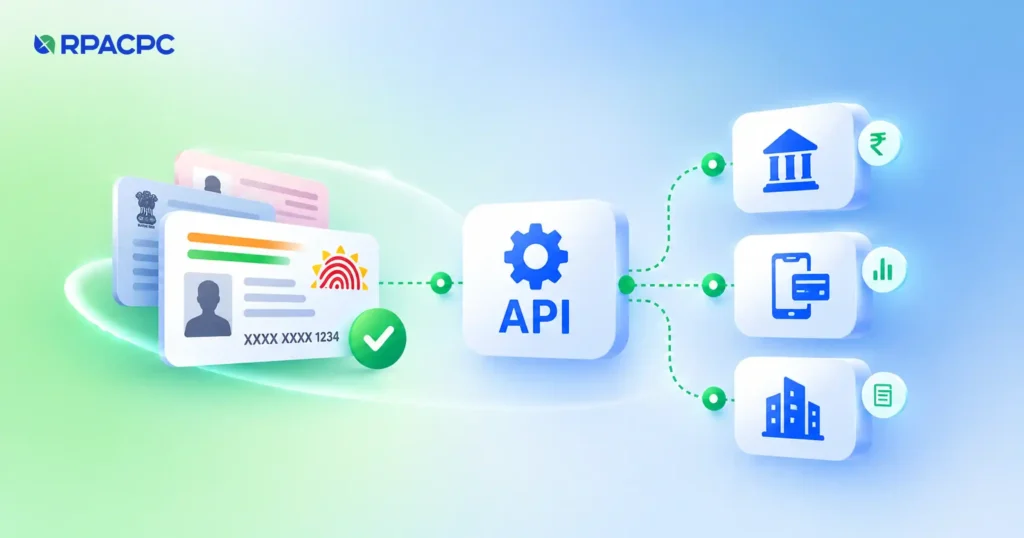
Government ID Check API: How Does It Help Banks, FinTechs, and NBFCs Streamline KYC?

Government ID Check API helps banks, FinTechs, and NBFCs streamline KYC with faster identity verification and reduced manual work.

Read More
Government ID Check API: How Does It Help Banks, FinTechs, and NBFCs Streamline KYC?

India's verification infrastructure is already here.

Empower your applications with India's Enterprise Verification Intelligence Platform for faster, more reliable verification.